
Here’s what’s new in tawk.to across Contacts, Monitoring, AI Agents, Localization, and Webhooks.
 Contacts: New Layout
The Contacts view has been redesigned around a continuous conversation timeline. All interactions with a contact now display in chronological order regardless of channel: Live Chat, Tickets, WhatsApp, FB Messenger, and other channels, all in one thread.
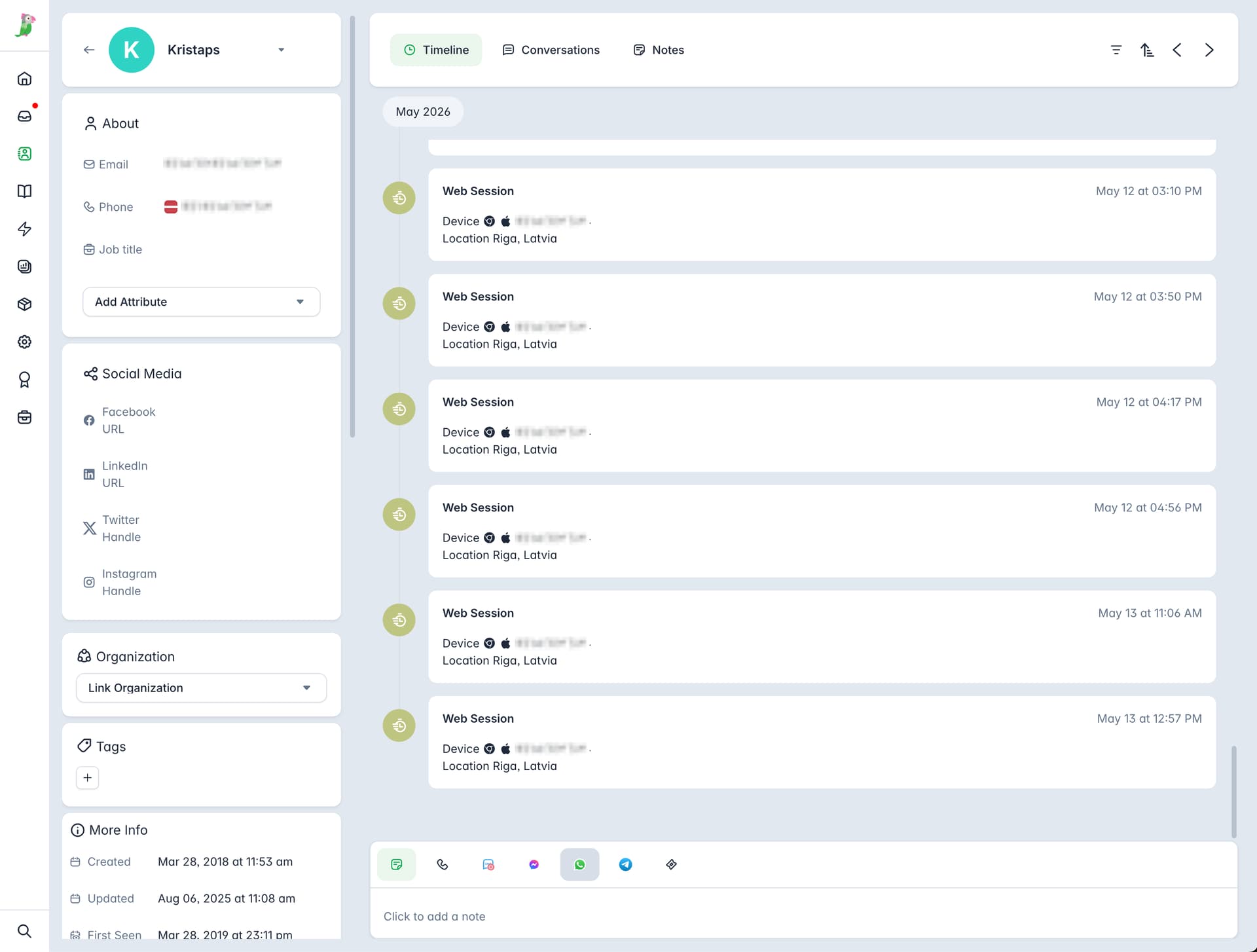
- Contact navigation: Browse through your contact list with previous/next buttons without leaving the detail view.
- Contact switcher: Quick-switch dropdown for jumping between contacts.
- Tabbed navigation: Contact details organized into tabs for a cleaner layout.
 Monitoring: Map View
A new Map view in the Monitoring section. Switch between List and Map from the header bar.
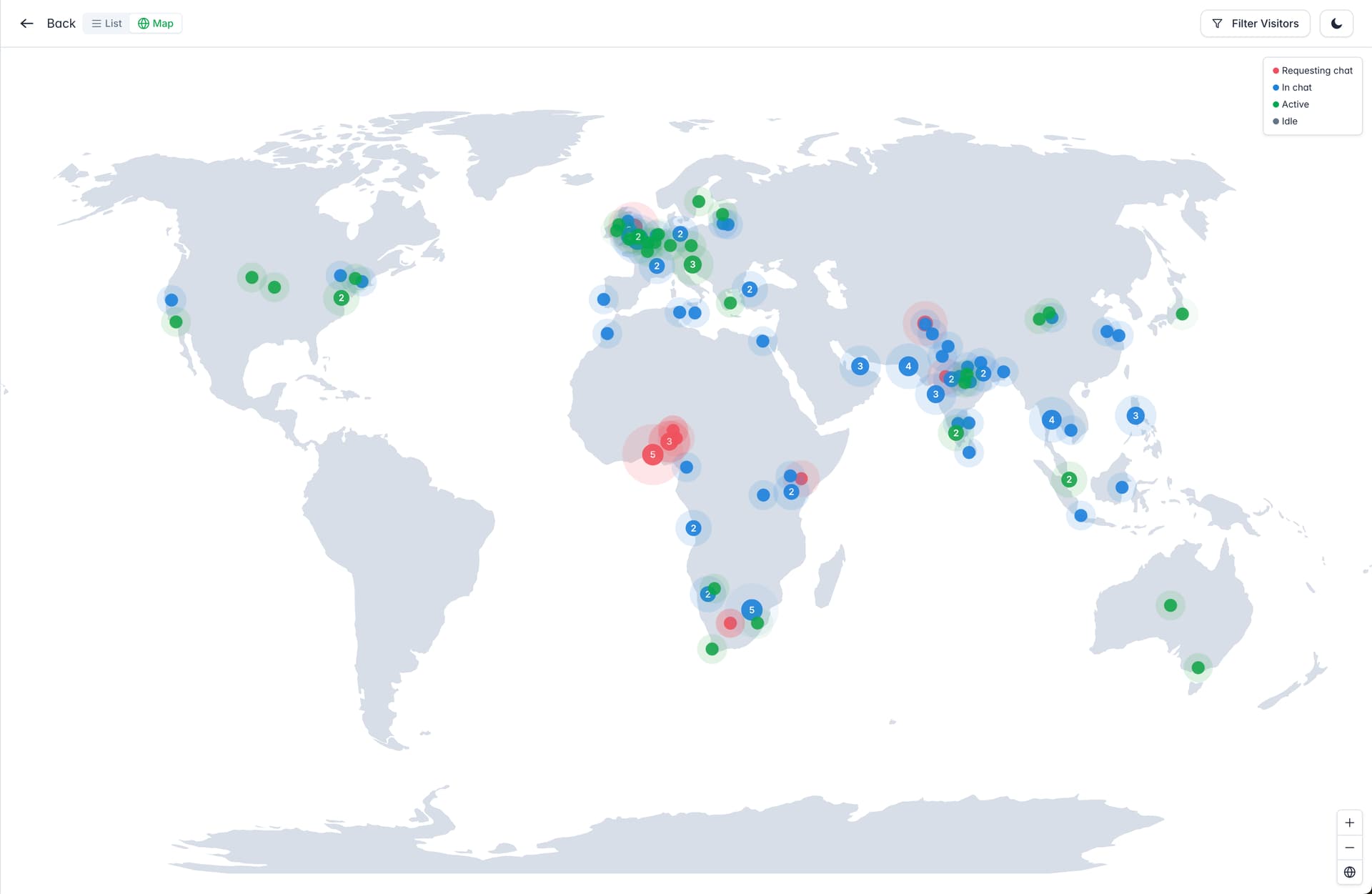
- Live visitor map: Currently tracked visitors appear as colored dots on a world map.
- Color-coded states: Chat request, in chat, active, and idle – each with its own color so unanswered chat requests stand out immediately.
- Hover for details: Tooltip shows visitor info with a button to start chatting directly.
 Multi-AI Agent Tester
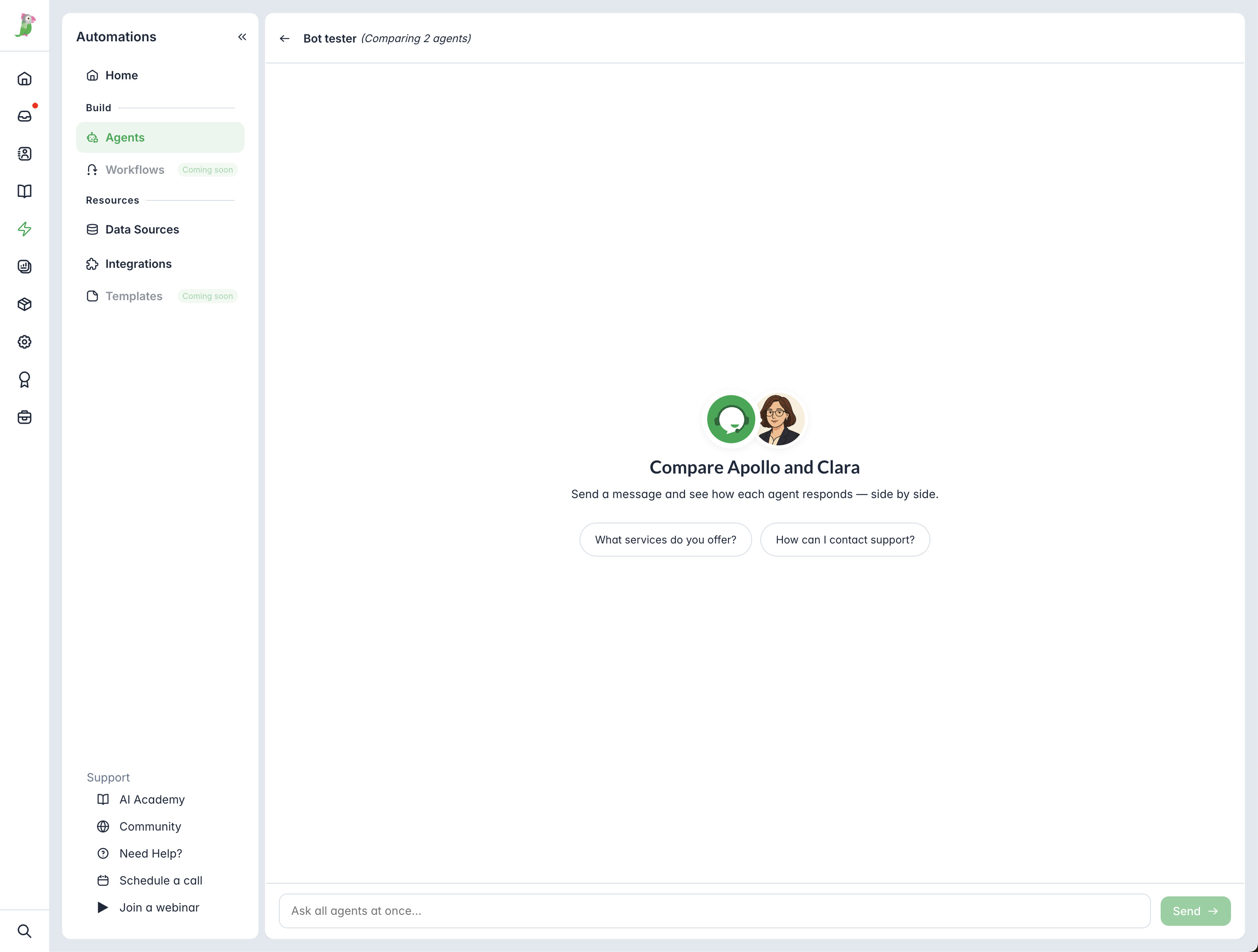
In Automations > Agents, you can now click “Test & Compare” to chat with up to 3 Agents at once in parallel. Useful for comparing how different Agents handle the same questions and scenarios.
 Language Translations
We’ve completed 100% translation coverage for 8 languages across both the dashboard and the widget:
- Arabic, Chinese Simplified, Chinese Traditional, Korean, Hindi, Persian/Farsi, Spanish (Latin America), Portuguese (Brazil)
QA is ongoing – if you spot any translation issues, let us know.
 Webhooks: Domain and Referrer fields added
Webhook events chat_start, chat_end, and chat_transcript now include two additional fields:
- domain – the page the chat was initiated on
- referrer – the page the visitor came from
Learn more here: