We don’t have any further information at the moment. However, we’ll keep you updated here or on our Updates page once our team has completed the testing and implemented a fix.
Thank you for your patience and understanding while our team works on this.
Could you please let me know how I can access the latest version? I don’t see any updates available, and I also tested the chatbot using a screen reader, but it still appears to be the same version.
Could you please advise on how we can access the latest update?
Hi @JethroPaul , thank you for working on these issues and helping me! Almost all the issues have been resolved, except for one.
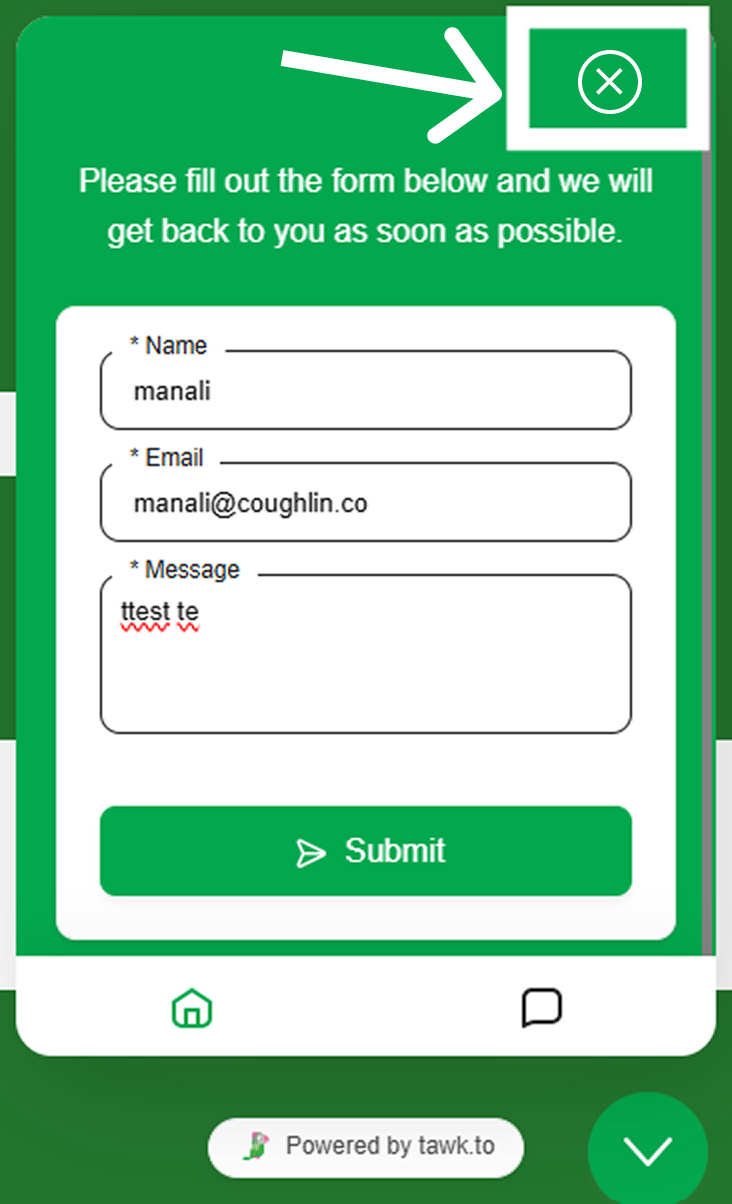
There’s just one issue remaining: screen reader users may not know how to exit the chat widget. Would it be possible to add a close button to make it easier for them to close the widget?
Also, please ensure the close button includes an appropriate aria-label, such as “Close chatbot”, so screen reader users can easily identify its purpose.
Thanks for the feedback! I’ll pass this along to our team for consideration in future updates. While I can’t promise if or when this will be implemented, we appreciate you sharing your suggestion with us.
Hi I just wanted to add you cannot dismiss the chatbot by pressing ESC
WCAG 2.2 SC 1.4.13 " A mechanism is available to dismiss the additional content without moving pointer hover or keyboard focus, unless the additional content communicates an input error or does not obscure or replace other content"
Upon checking, the widget can be minimised with ESC when it’s in focus. If you hit the ESC key while it’s not in focus, nothing happens.
There is one case where this is a valid issue. If the website has a welcome message set up, the widget can pop open on its own without the visitor clicking it. When that happens, it’s not in focus, so ESC doesn’t close it, and it can cover parts of the page. A keyboard user could tab to a link or button underneath it and not be able to see it.
We’ve raised this with our development team to look into.
Was this the situation you ran into? If you can share the website and the steps, it will help us test it.
So I went back to check this because when I tried before ESC never worked at all so I tried a few different things and it’s not working before any messages are typed in or are returned by the chatbot.
Steps to reproduce.
Load a page where the widget is embeded.
Open the chatbot
Press ESC key to dismiss - nothing happened
Second Attempt
Load a page where the widget is embeded.
Open the chatbot
Agree to EU privacy
Press ESC key to dismiss - nothing happened
Third Attempt
Load a page where the widget is embeded
Open the chatbot
Agree to EU Privacy
Start a new conversation
Type a message in and received a reply from the chatbot
Try pressing ESC to dismiss - this time it worked.
It didn’t work at all until the chatbot had replied. Didn’t seem to matter if it was in focus or not. I could click outside the chatbot and press ESC and it still did not dismiss until the chatbot had replied.