I am trying to write an instruction for Apollo to automatically respond with a specific shortcut message based on the department that is selected for the chat. It seems to recognize the department fine, but instead of responding with the shortcut message it just types the shortcut.
Here is my instruction: If chat contains “Department : Licensing”, then reply with only shortcut /TAG1.
Apollo message response = /TAG1
I feel like it is just a formatting issue but I just can’t figure it out. Any help is appreciated.
Thank you,
Kevin
Hi @Kevin.S ,
Thanks for reaching out to us.
May I ask if you’ve tried using Scenarios for your AI Agent? This may help you achieve the behavior you’re looking for. You can learn more about it here:
You can use the department’s name as the triggering phrase and then provide the appropriate instructions for the AI in the STEPS field. This allows the AI to recognize the trigger and respond according to the workflow you’ve defined.
If you have any questions while setting it up, feel free to let us know. We’ll be happy to help.
Thanks,
I am using the Triggers you suggested, and it works great. Apollo uses the shortcut perfectly, the only problem I have is the shortcut I set up is supposed to tag the chat as well and that piece does not seem to be working. So based on the department selected, Apollo is replying with the correct message but the action piece of it, for adding a tag is not working. Any suggestions?
Thank you,
Kevin
Thanks! I’m glad the suggestions worked as expected.
Regarding the tags, I tested this on my end. When the AI responds to the chat and sends the shortcut, the tag is applied to the chat as expected. Please have a look at the screenshots below.
I have tried a couple variations of the shortcut and trigger, but I still can’t get the tag to work.
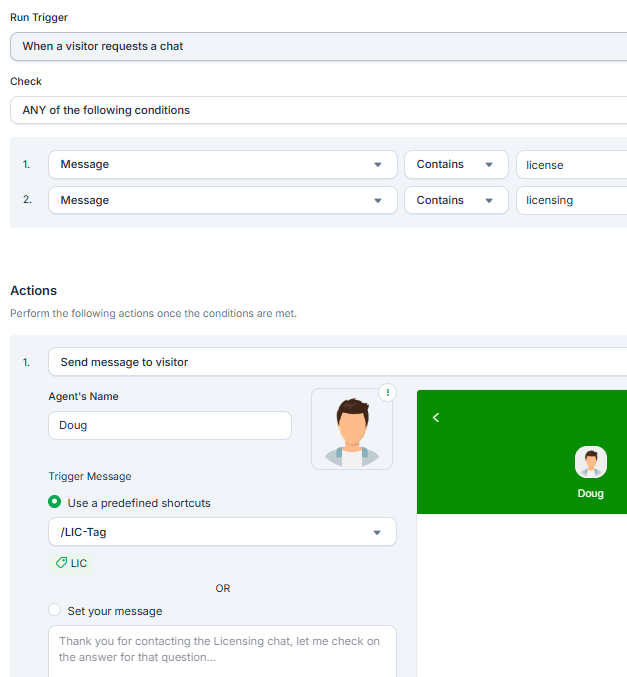
Here is one of the variations that I have tried:
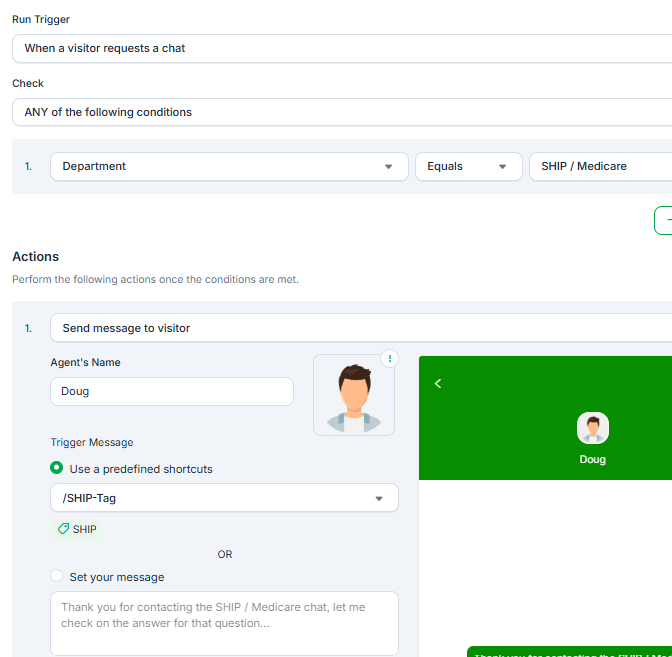
The other one uses the “department”:
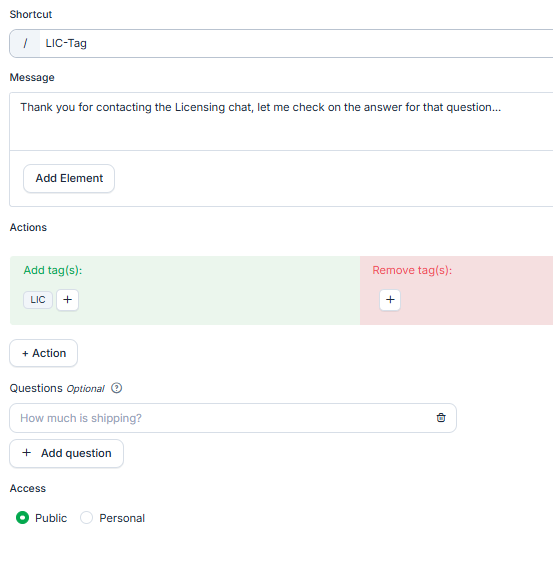
Both will respond with the message but will not change the tag. Here is the shortcut I used for the first example:
Am I missing a step or something?
Thank you,
Kevin
Hi,
Please note that tags won’t work directly with triggers, as triggers only send the messages configured in the shortcuts. Tags can only be added manually by an agent or through AI Assist when it uses a shortcut that includes tags.
If you’re using AI Assist, please also make sure to update the base prompt to instruct the AI to apply the appropriate tags whenever it uses a shortcut.