Hi,
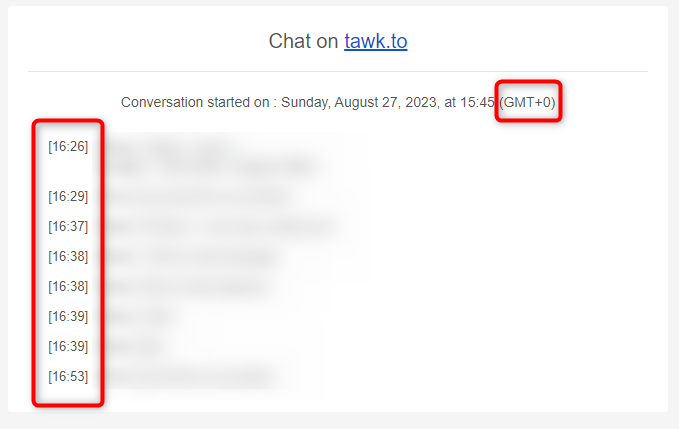
I’ve noticed that my chat transcripts are sent to my email with a timestamp of GMT +0 even after setting my Timezone to Nairobi +03:00 in the Scheduler and the Property Region to Kenya.
How do I rectify this so that the transcripts are in sync with my region’s timestamp?
Currently, all system emails will default the timezone to GMT+0.
Its currently not possible to adjust the timezone mentioned in notification emails, but we will take this into consideration for future updates.
Let us know if you have any other questions or feedback.
I realize this thread is several years old and transcripts still show as GMT+0. Is this still accurate that there is no ability to adjust or has there been an update?
Thanks for reaching out and for revisiting this thread. At the moment, there’s still no option to adjust the timezone in email transcripts, and all chat transcripts are sent in GMT+0. This standardization helps ensure consistency and clarity, especially when agents and visitors are located in different time zones.
It seems that email systems often default to GMT timestamps even when the local timezone is set correctly in the application. Checking if the chat platform has a separate email notification timezone setting could help resolve the issue.