
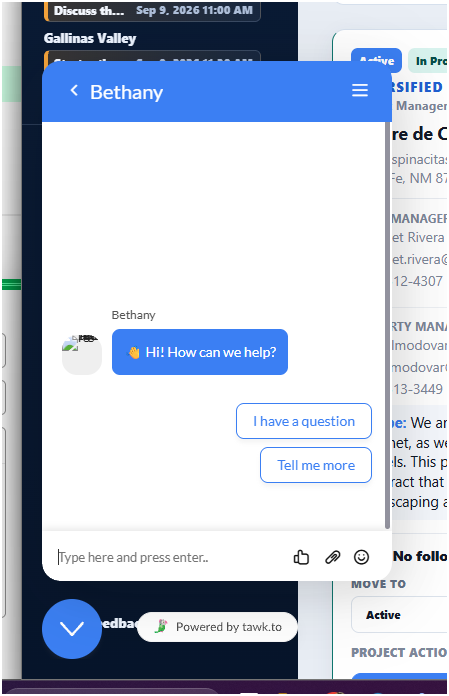
How do I keep this box from opening automatically? It opens randomly for current users and is annoying.
Hi,
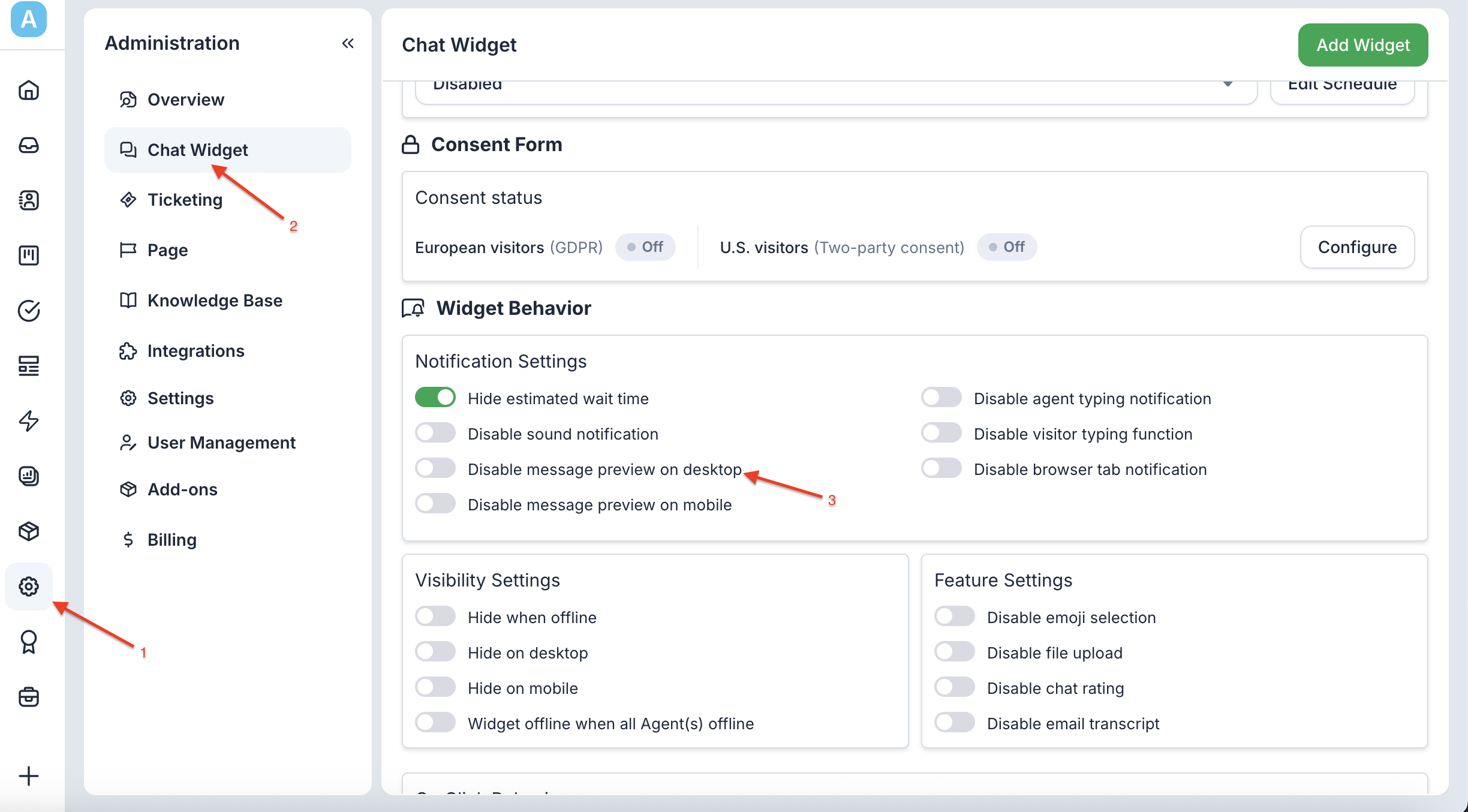
For this, you can enable the Message Preview option for the welcome message. This will prevent the chat widget from automatically popping up while still displaying the welcome message preview.
Here’s how you can enable the Message Preview option. Please refer to the screenshot below for guidance.
I’ve already got that enabled:
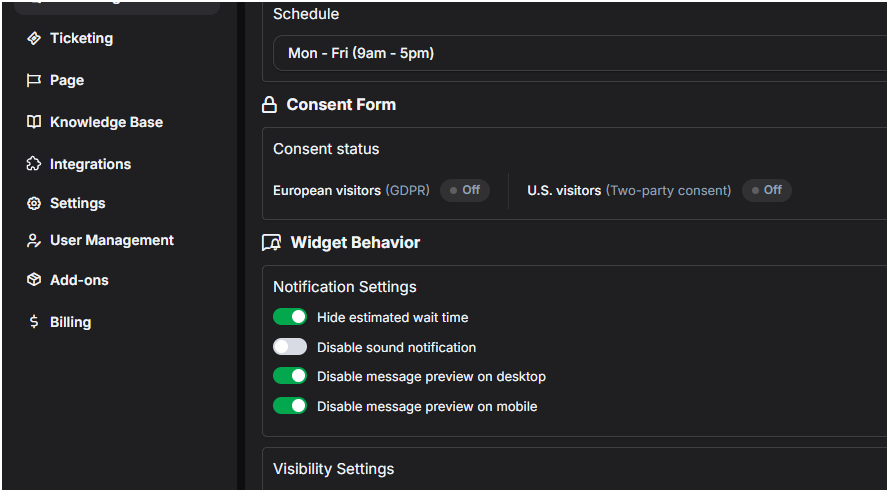
What I’m referring to is when a visitor/user is on the site, after a few minutes, the chat opens and dings on its own.
Please disable that feature or turn off the button to enable the Message Preview option.
Hi Ken,
Your widget pops up because of the “Welcome message” Trigger.
With “Disable message preview on desktop” disabled, the message would pop up in a smaller bubble rather than maximising the whole widget. Like this:
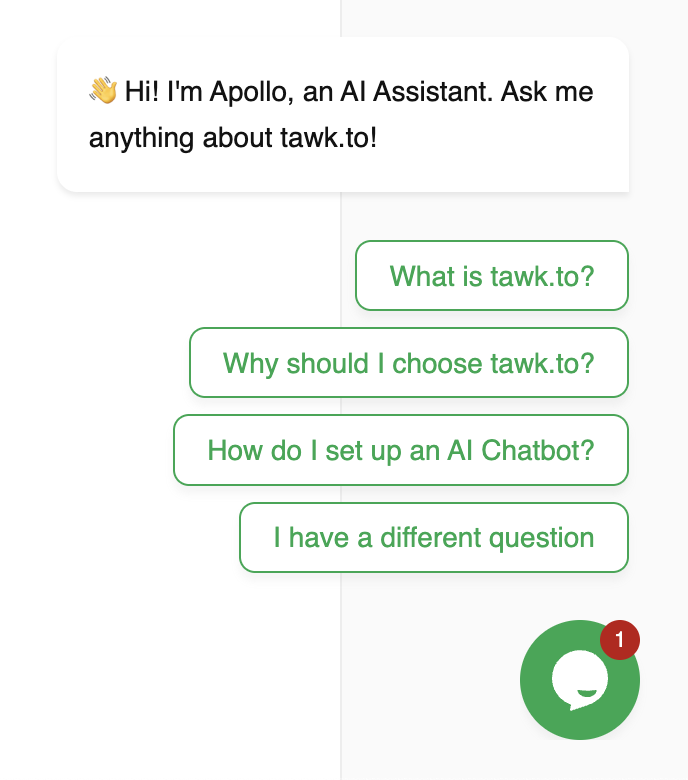
You can manage your welcome message in Admin > Settings > Triggers.
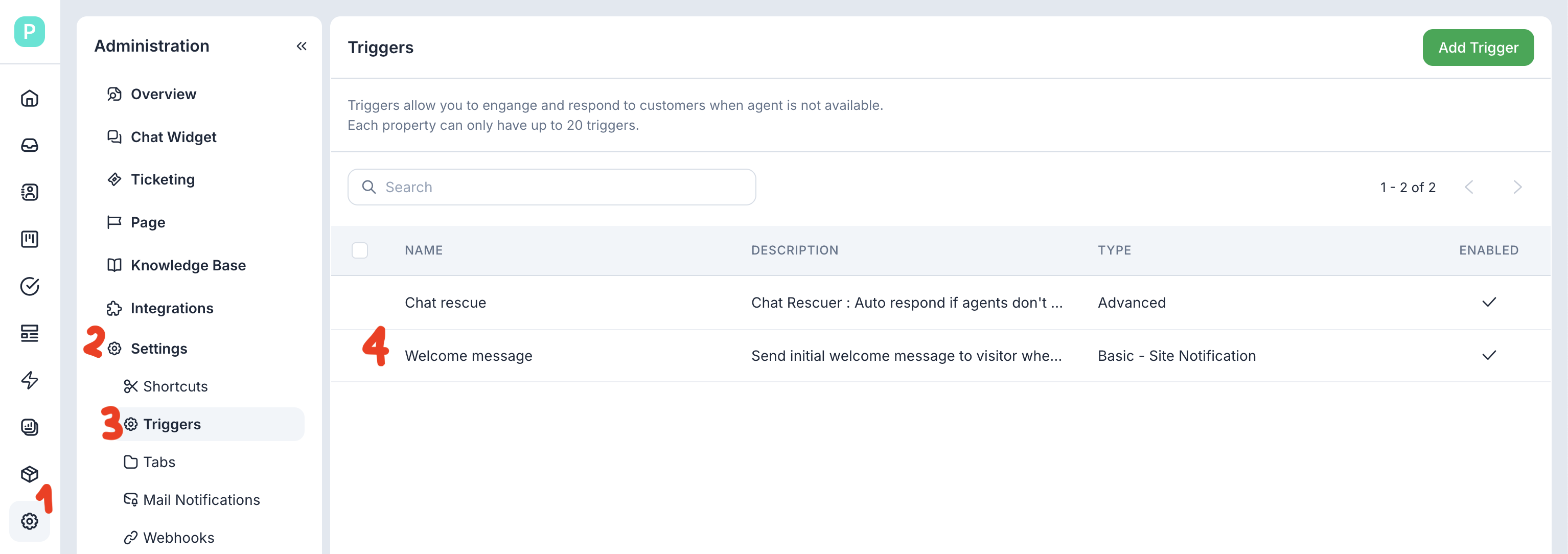
If you want to keep a welcome message, but don’t want anything to proactively pop up for website visitors, you can disable the default welcome message and create one that’s triggered “when a visitor maximises the widget” instead. Learn more here: Help Center | tawk.to | Sending a message when the visitor maximizes the widget (Basic and Advanced triggers)