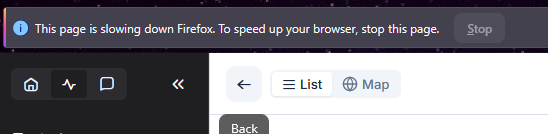
I frequently see this on the Monitoring page. Any suggestions on why this happens and how to stop it?
Thanks for reaching out to us.
Could you please let us know if you have any browser extensions installed? If so, we’d appreciate it if you could share which ones you’re using, as they may be affecting the behavior you’re experiencing.
Also, does this issue occur consistently, or is it intermittent? I tested it on the same browser and, after monitoring it for several minutes, I wasn’t able to reproduce the error on my end.
Looking forward to your response.
It only happens intermittently, when I’ve been on the Monitoring page for a while.
That’s Firefox’s responsiveness warning, which fires when a tab keeps the main thread busy for too long.
While Monitoring is open, your dashboard subscribes to live events from every visitor session on your connected properties: session start, page navigation, status changes, session end. The more concurrent visitors and the longer the tab stays subscribed, the more work accumulates in that tab. That’s why you’re only seeing the notification after Monitoring has been open for a while.
The simple fix is enabling Sleep Mode. It makes your browser stop streaming after a set idle period without affecting notifications for new chat requests. Learn more here:
Even when there are no visitors?
@dedicatedpresentatio I would assume so, because it remains subscribed to updates. Have you tried sleep mode?