I’ve logged out everywhere and set everyone to invisible on all devices. When I visit my website, I get the offline form in the chat window. Nevertheless, some users somehow still are presented with the live agent chat popup and they send me messages that I miss. I logged out all sessions as well.
Hello,
What about been online status “online” but i dont see the users currently present on the site.
I am connected and even browsing on the site but i cant see the in the dashboard the user.
Thank you for your answer.
Please note, your question is unrelated to this thread. For customer support, please contact us via live chat (available 24/7) where you can also request to speak with a human.
It sounds like you might be experiencing an issue with the GDPR Consent Form. If this form is active, Monitoring will only track/display visitors who have given consent by clicking the “Accept” button on the chat widget.
To turn off the Consent Form, you can go to Administration > Channels > Chat Widget > Consent Form and select “Disabled” in the drop-down menu.
Alternatively, please check whether the widget on your website matches the property you’re monitoring.
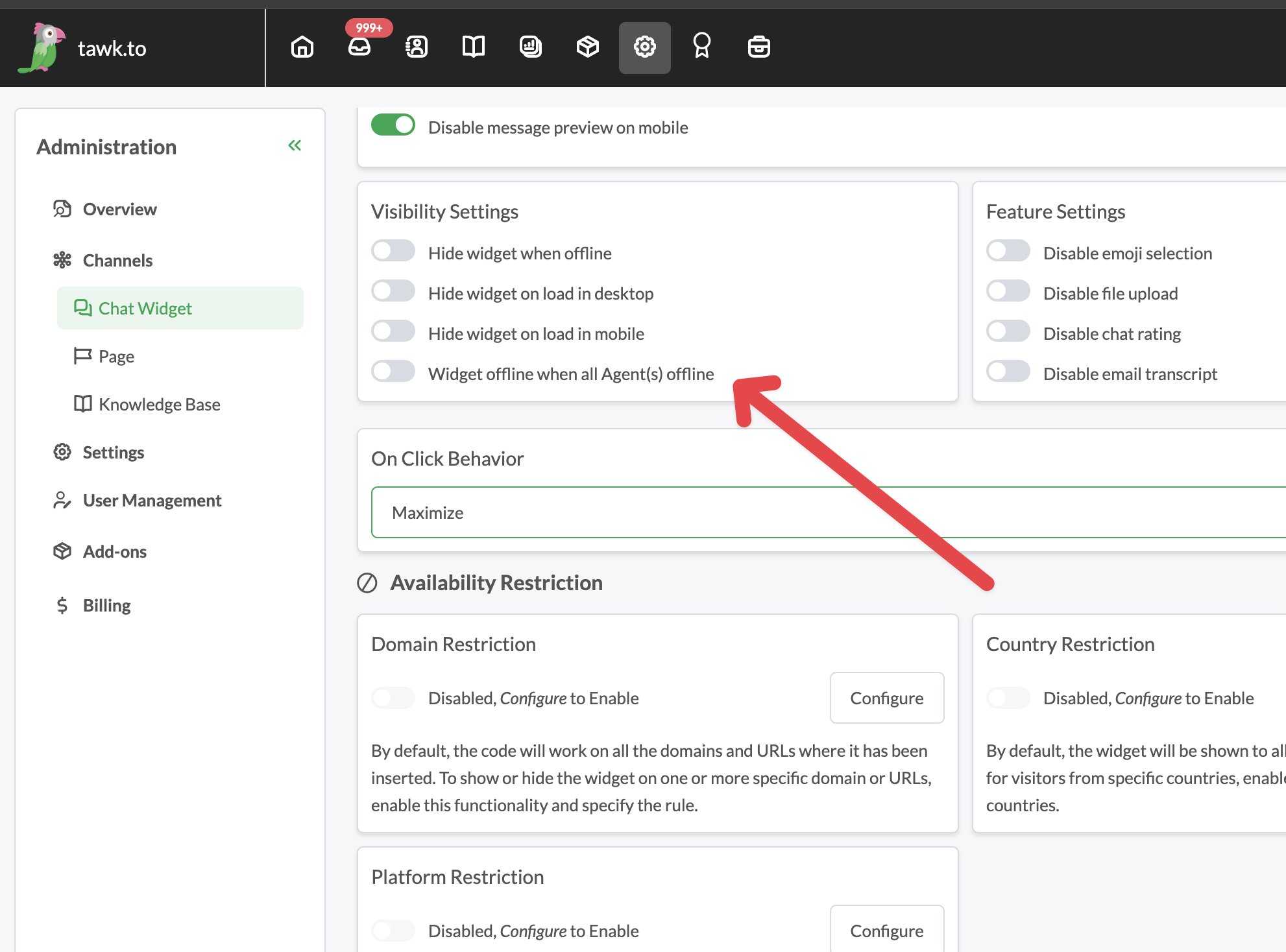
This usually happens because the chat widget is still set to accept chats even when agents are invisible. Make sure the setting “Widget offline when all agents offline” is turned ON under Admin, Channels, Chat Widget. Once enabled, visitors will only see the offline form and live chats will stop.